One-line hook: Need a quick way to make your spreadsheet messages clearer? The right emoji can help!
Introduction
You have just finished a spreadsheet, shared a report with your team, or posted a screenshot of your latest project. Now you want an emoji that says “Excel,” data analysis, or spreadsheet work without adding another sentence. Which one should you use? 📊
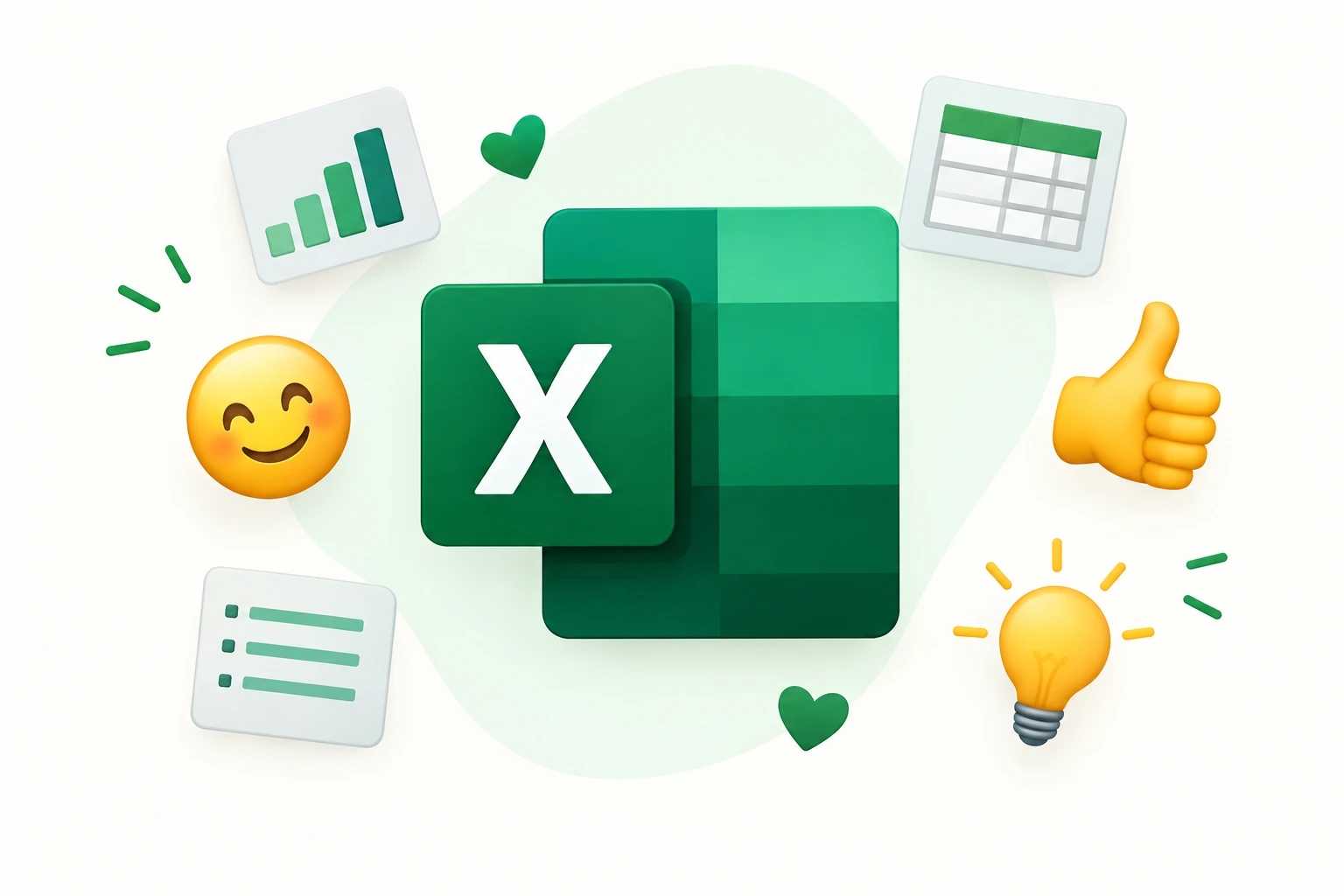
The search for an Excel emoji can be a little confusing because there is no dedicated standard Unicode emoji specifically representing Microsoft Excel. Instead, people use related symbols such as 📊, 📈, 🧮, and 💻 to communicate spreadsheets, calculations, reports, and office tasks. The familiar green Excel application icon is another thing people may mean when they search for this keyword.
Whether you are messaging colleagues on WhatsApp, writing an Instagram caption, commenting on TikTok, or sharing a Facebook update, choosing the right symbol depends on your message. This guide explains the available options, shows useful copy-and-paste combinations, and helps you find a suitable emoji for spreadsheets, formulas, business reports, and everyday productivity.
Sometimes a simple spreadsheet symbol says everything about the work behind the numbers. 📊
5. What Does the Excel Emoji Mean?
The Excel emoji usually refers to an emoji or symbol that represents Microsoft Excel, spreadsheet work, calculations, or organizing data. However, there is no official Unicode emoji dedicated exclusively to Excel. The best choice depends on whether you mean the software itself, a spreadsheet, a financial report, or the process of working with numbers.
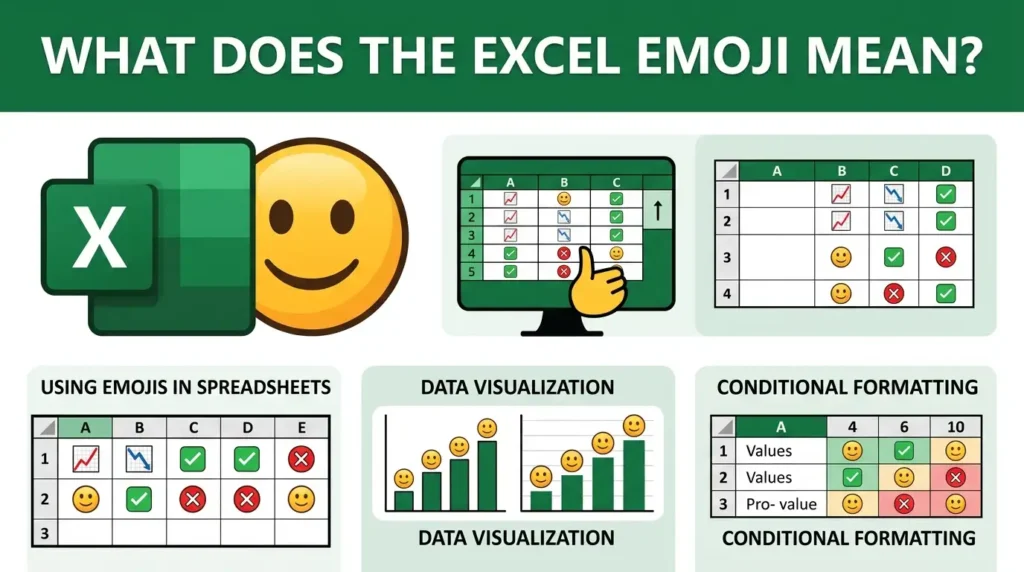
Here are six useful symbols to understand:
- 📊 Bar Chart: Represents data analysis, business reports, statistics, and visual comparisons. It is a strong choice when discussing information organized in Excel.
- 📈 Chart Increasing: Suggests growth, improving results, rising sales, or positive performance. Use it when a spreadsheet shows progress toward a goal.
- 🧮 Abacus: Represents mathematics, calculations, accounting, and working with numbers. It suits messages about formulas and numerical tasks.
- 💹 Chart Increasing with Yen: Often associated with financial markets, currency, investments, and financial performance. It can be useful for finance-related spreadsheets.
- 💻 Laptop: Represents computers, office work, digital tools, and productivity. It works when talking about using Excel on a computer.
- 📗 Green Book: Can suggest documents, records, learning materials, or organized information. It is a possible visual substitute for a green spreadsheet theme, although it does not specifically mean Excel.
How people interpret the Excel emoji
In everyday texting, 📊 may mean that someone is working on a report, analyzing results, or preparing figures for a meeting. On social media, it can accompany productivity posts, business updates, or educational content.
For example, “Finally finished the monthly report 📊” clearly connects the symbol to spreadsheet work. Meanwhile, “Sales are looking better 📈” focuses on improving results rather than the software itself.
Context matters, too. A colleague sending 📊 may simply be sharing work information, while a friend posting the same symbol could be joking about spending all day on assignments.
If you specifically want the Microsoft Excel logo, use the official application icon or an appropriately licensed image rather than assuming that a standard emoji is the logo. Emoji symbols and application icons are different things, even when their colors and general appearance seem similar.
Excel-related emoji meaning table
| Emoji | Core meaning | Possible misread | Best used when |
| 📊 | Data and reports | General statistics | Sharing spreadsheet results |
| 📈 | Growth and progress | Financial markets only | Showing improvement |
| 🧮 | Calculations | School mathematics | Discussing formulas |
| 💹 | Financial performance | Currency-specific content | Talking about finance |
| 💻 | Computer work | Any digital activity | Mentioning Excel tasks |
| 📗 | Documents and records | Reading or studying | Organizing information |
6. Excel Emoji Cards: 10 Useful Symbols
The following ten symbols cover common spreadsheet, reporting, and productivity situations. They are related to the Excel theme, although none is an official, dedicated Excel emoji.
📊 Bar Chart
Meaning: Data analysis, reports, and visual comparisons.
Example 1: The monthly figures are ready 📊
Example 2: Sharing the results with the team 📊
📈 Chart Increasing
Meaning: Growth, improvement, and positive performance.
Example 1: Our numbers improved this quarter 📈
Example 2: Tracking progress toward our target 📈
🧮 Abacus
Meaning: Calculations, arithmetic, and numerical work.
Example 1: Time to check those formulas 🧮
Example 2: Working through the final calculations 🧮
💹 Chart Increasing with Yen
Meaning: Financial performance, currency, and market-related information.
Example 1: Reviewing the financial report 💹
Example 2: Checking the latest investment figures 💹
💻 Laptop
Meaning: Computer work, digital productivity, and office tasks.
Example 1: Spreadsheet work starts now 💻
Example 2: Finishing the report before the meeting 💻
📗 Green Book
Meaning: Documents, records, reference materials, and organized information.
Example 1: Keeping all my project notes together 📗
Example 2: Updating the records for this month 📗
📉 Chart Decreasing
Meaning: Falling numbers, declining performance, or downward trends.
Example 1: We need to review this month’s results 📉
Example 2: The report shows a drop in sales 📉
🗂️ Card Index Dividers
Meaning: Sorting, organizing, and managing information.
Example 1: Organizing the spreadsheet categories 🗂️
Example 2: Cleaning up the project files 🗂️
📝 Memo
Meaning: Notes, documentation, reminders, and written information.
Example 1: Adding notes beside the figures 📝
Example 2: Writing down the changes for the team 📝
🟩 Green Square
Meaning: A green visual accent, status marker, or color-coded category.
Example 1: The completed section is highlighted 🟩
Example 2: Using green for the finished tasks 🟩
7. How to Use the Excel Emoji the Right Way
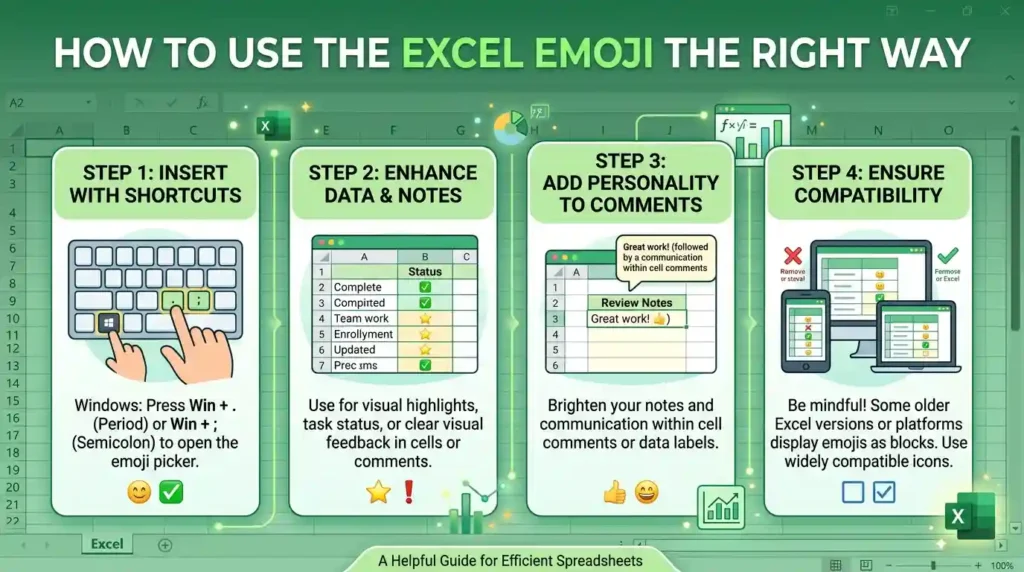
The best Excel-related emoji is the one that matches what you are communicating. A chart symbol can make a report update easier to recognize, while a computer symbol can suggest that you are busy working. Here is how to use these symbols across popular platforms.
WhatsApp 💬
WhatsApp is useful for sharing quick work updates with coworkers, friends, classmates, and family members. The 📊 symbol can accompany a report, while 🧮 works for a message about checking calculations.
Examples:
- “I’ve finished the spreadsheet for today’s meeting 📊”
- “Can you double-check these numbers? 🧮”
- “Working on the budget tonight 💻”
- “The final report is ready to review 📝”
You can also use these symbols in group chats to distinguish work-related messages from everyday conversation. For a WhatsApp status, something like “Spreadsheet day, getting things organized 📊” communicates what you are doing without a lengthy explanation.
Instagram 📸
On Instagram, spreadsheet symbols can support content about productivity, small businesses, financial planning, study routines, and office life.
For captions, try “Turning numbers into useful insights 📊” or “A little organization goes a long way 🗂️.” Creators who share tutorials can use 🧮 when explaining formulas or 📈 when showing business progress.
These symbols can also fit educational carousels, productivity Reels, and profile descriptions. However, they work best when the post actually relates to data, work, or planning. An Excel emoji will not automatically make unrelated content more engaging.
TikTok 🎵
TikTok users can include spreadsheet symbols in video captions, comments, and on-screen text. They are particularly suitable for Excel tutorials, spreadsheet shortcuts, office humor, study sessions, and data-analysis demonstrations.
Examples include:
- “When one missing bracket breaks your formula 🧮”
- “POV: You spent three hours formatting one spreadsheet 💻”
- “That feeling when the report finally makes sense 📊”
Humor and irony depend on the video. A creator might use 📈 to celebrate a fictional productivity improvement or 📉 to joke about a difficult workday. The surrounding content makes the intended tone clear.
Facebook posts, comments, and Messenger conversations can use spreadsheet symbols for business updates, educational tips, community projects, and everyday work messages.
For example, “The fundraiser totals are ready to share 📊” fits a community update, while “Finally finished my assignment 🧮” works for a student post.
Use symbols sparingly in professional groups, especially when discussing sensitive figures or formal business matters. A clear sentence should always carry the main information, with the emoji serving as a helpful visual addition.
8. Dos and Don’ts for Excel Emojis
Spreadsheet symbols can make digital communication easier to scan, but the message should remain clear without them.
Do
- Match the symbol to the task. Use 📊 for reports, 🧮 for calculations, and 💻 for computer work.
- Consider your audience. A friendly symbol may suit a class group, while a formal report may need no emoji at all.
- Use context. Pair 📈 with a sentence explaining what improved rather than leaving the results unexplained.
- Keep work messages readable. One relevant symbol is often enough.
- Check the visual appearance. The same emoji can look slightly different across devices and applications.
Don’t
- Use symbols randomly. A financial chart may confuse readers if your message concerns an unrelated task.
- Assume everyone interprets them identically. A symbol can have several meanings.
- Overload serious reports. Too many decorative symbols can distract from important figures.
- Treat an emoji as a software logo. 📊 is a chart symbol, not the Microsoft Excel application icon.
- Replace essential information with emojis. Explain deadlines, figures, and instructions in words.
For instance, “The quarterly report is complete 📊” is clearer than sending several symbols without an explanation. When accuracy matters, the written message should always come first.
9. Why Do Excel Emojis Look Different on iPhone and Android?
Have you ever copied an emoji from a website and noticed that it looks slightly different on your phone? That is normal. Emoji symbols are standardized, but their visual designs are not identical across every platform.
Unicode provides the standard characters that allow compatible devices and applications to recognize and exchange emoji. Companies such as Apple, Google, Samsung, and Microsoft create their own artwork to display those characters.
As a result, the same symbol may vary in shape, color, proportions, or overall style. A chart might have slightly different bars, and a laptop may appear with a different screen or keyboard design. These differences generally do not change the underlying character.
What about the Excel logo?
The Microsoft Excel logo is different from a standard emoji. It is a branded application icon with its own design, including a recognizable green color scheme and stylized letter. Copying a green square emoji will not reproduce that official icon.
If you are creating a website, tutorial, presentation, or software guide, use the appropriate official Microsoft asset when you need to identify Excel specifically. For ordinary messaging, a related emoji such as 📊 or 💻 is usually sufficient.
Why this matters when copying and pasting
When you paste 📊 into WhatsApp, Instagram, TikTok, or Facebook, the receiving platform and device determine how it is displayed. A recipient might see a slightly different illustration, but the underlying emoji is generally the same.
Font support, operating-system versions, and application rendering can also affect appearance. If a device does not support a particular character, it may show a placeholder instead.
The practical rule is simple: choose the emoji for its recognizable meaning, not its exact appearance. If visual consistency is essential for a branded design, use a suitable image or graphic instead of relying on an emoji.
10. Best Excel Emoji Combos: Copy and Paste
These combinations use the established spreadsheet and productivity symbols. The category headings offer different tones, but the combinations themselves focus on Excel-related tasks rather than implying that any symbol has a fixed emotional meaning.
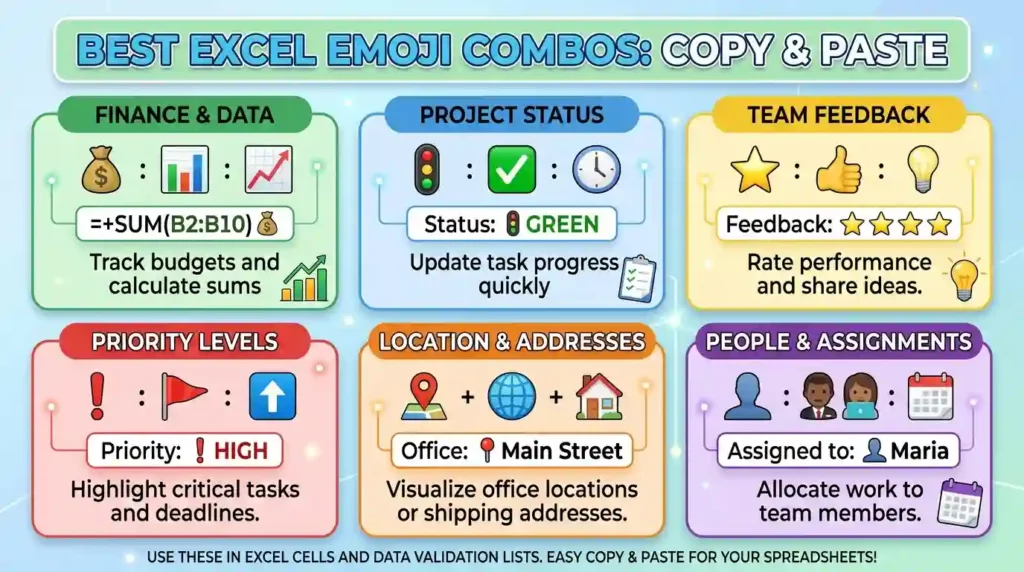
Romantic ❤️
For friendly, affectionate messages about supporting someone through work or study.
👉 💻📊: Use this when encouraging a partner who is finishing a report.
👉 📝🟩: Send this to celebrate a small shared achievement.
👉 📈💻: Use this when congratulating someone on progress toward a goal.
Cute 🥰
For lighthearted study updates and everyday productivity posts.
👉 🧮📝: Use this for a cute caption about doing calculations and taking notes.
👉 💻📗: Send this when sharing a study-session update.
👉 📊🟩: Use this to celebrate finishing a neatly organized spreadsheet.
Flirty 😉
For playful messages between people who already understand each other’s humor.
👉 💻📝: Use this to joke about being busy with work.
👉 🧮📊: Send this when teasing someone about their number-crunching skills.
👉 📈🟩: Use this to celebrate a small win with a playful tone.
Missing Someone 💭
For messages about wishing someone were around during a busy workday.
👉 💻📊: Use this when telling someone you are working while thinking of them.
👉 📗📝: Send this with a message about sharing your notes when you meet again.
👉 🧮💻: Use this when joking that work would be easier with someone’s help.
Good Night 🌙
For ending a long work or study session.
👉 💻📝: Use this when signing off after finishing your notes.
👉 📊🧮: Send this after wrapping up a report and its calculations.
👉 📗🟩: Use this to mark the end of an organized, productive day.
Copy-paste tip: These combinations use only the selected spreadsheet-related emoji family. You can add your own words before or after any combination to make the intended meaning clearer.
11. Trending Excel Emoji in 2026
Spreadsheet-related emojis remain useful in everyday digital communication because people need quick ways to discuss work, business results, studying, and productivity. However, there is no verified universal ranking establishing which Excel-related emoji is the most popular in 2026. The symbols below are practical choices, not a ranked trend list.
📊 Bar Chart
The bar chart is a natural choice for sharing reports, comparing figures, and explaining data. It fits workplace chats, business posts, educational content, and spreadsheet tutorials. A creator might add it to a video showing how to build a chart in Excel, while a colleague might use it in a short report update.
📈 Chart Increasing
This symbol is useful when discussing progress, improved results, or business growth. It often appears naturally in captions about reaching goals, tracking performance, and reviewing results. Its tone depends on the surrounding words: it may communicate a genuine achievement or a playful exaggeration.
🧮 Abacus
The abacus works for calculations, formulas, numerical assignments, and educational content. Students, teachers, accountants, and spreadsheet enthusiasts may find it useful when explaining mathematical tasks. It is also suitable for jokes about complicated calculations.
💻 Laptop
The laptop symbol is a broad representation of digital work. It fits office updates, tutorials, study-with-me videos, remote-work captions, and conversations about using software. Unlike a chart emoji, it does not specifically indicate data analysis.
| Emoji | Why it is useful | Who might use it | Common setting |
| 📊 | Communicates reports and data | Analysts, students, teams | Work chats and tutorials |
| 📈 | Suggests progress and growth | Business owners, creators | Captions and updates |
| 🧮 | Relates to calculations | Students, teachers, accountants | Study posts and messages |
| 💻 | Represents digital work | Office workers, learners | Social posts and chats |
These symbols are easy to recognize in many contexts, but their actual popularity can vary by audience, platform, and community. Emoji use continues to evolve as people develop new habits for communicating work, humor, and everyday experiences online.
12. Excel Emoji Meaning in Different Contexts
The meaning of an Excel-related emoji depends on the conversation, the relationship between the people communicating, and the surrounding message. The same symbol can describe a practical task, celebrate progress, or make a joke about working too much.
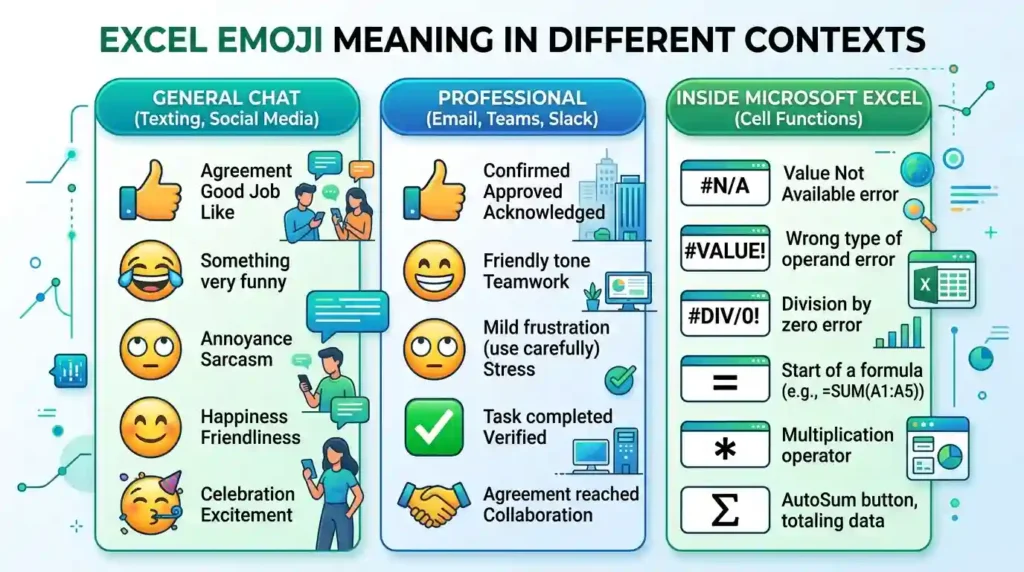
Romantic conversations
In a conversation with a partner, 💻 or 📊 may simply explain why someone is busy. For example, “Finishing this report, then I’m all yours 💻” communicates a practical reason for being unavailable. The words, not the emoji alone, establish the affectionate tone.
Friendship
Friends may use 🧮 when discussing homework, helping each other with budgets, or joking about complicated calculations. A message such as “Please save me from these formulas 🧮” can express frustration in a playful way.
Family
Family members might use 📊 to discuss household expenses, school results, or planning a family event. A parent could write, “I’ve organized our monthly budget 📊,” making the subject easy to identify.
Professional communication
At work, 📊 often fits report updates, while 📈 can accompany a discussion of improved performance. Still, an emoji is optional. Formal emails, sensitive financial discussions, and official documents may be better without decorative symbols.
Texting and social media comments
In texting, a symbol usually supplements the words. On Instagram or TikTok, it may help viewers recognize the topic of a tutorial or productivity post. For example, “Three spreadsheet shortcuts that save time 💻” clearly establishes the subject.
Captions
For a study or work caption, “Organize the data, check the formulas, finish the report 📊” gives readers a direct picture of the activity. A humorous caption might say, “My weekend plans are currently in cell A1 🧮,” using spreadsheet terminology as a joke.
Ultimately, these symbols do not automatically signal romance, professionalism, intelligence, or success. The intended meaning comes from how they are used.
13. How to Copy and Paste the Excel Emoji
You can copy any of the spreadsheet-related emojis below and paste it into a message, caption, comment, or document.
Copy and paste Excel emojis
📊Bar chartTap to copy
📈Growth chartTap to copy
🧮CalculationsTap to copy
💹Financial chartTap to copy
💻Computer workTap to copy
📉Declining chartTap to copy
🗂️OrganizationTap to copy
📝NotesTap to copy
📗Green bookTap to copy
🟩Green squareTap to copy
How to use your copied emoji
- Select an emoji from the collection above and copy it.
- Open WhatsApp, Instagram, TikTok, Facebook, or your preferred messaging app.
- Click or tap the text field where you want to use it.
- Paste the emoji and add a short message if needed.
- Send or publish your message.
You can also paste these symbols into compatible documents, spreadsheets, presentations, and notes. Their appearance may vary by device.
Remember, these are spreadsheet-related symbols, not an official Microsoft Excel emoji. If you need the actual Excel logo for a website or graphic, use an appropriate Microsoft brand asset instead.
14. Frequently Asked Questions
1. What is the most popular Excel emoji?
There is no single official Excel emoji. 📊 is a useful general choice for spreadsheets and reports, while 💻 works well for computer-based tasks and 📈 for showing growth.
2. What does the Excel emoji mean when someone sends it?
It usually refers to spreadsheet work, calculations, reports, or productivity when a related symbol is used. The exact meaning depends on the message and the relationship between the sender and receiver, not on the sender’s gender.
3. Why do emojis look different on iPhone vs Android?
Unicode standardizes emoji characters, but Apple, Google, Samsung, and other companies create their own artwork. The same character can therefore look different across devices while retaining its general meaning.
4. Are Excel emojis used differently in other countries?
They can be interpreted differently depending on language, workplace habits, and online communities. For example, a financial chart may be understood as business-related in one conversation and as a general data symbol in another. Check the surrounding message rather than assuming that every community uses it identically.
15. Conclusion
The best Excel emoji depends on what you want to communicate, whether it is spreadsheet work, calculations, reports, or business progress.
Use 📊 for data, 📈 for growth, and 💻 for digital work, choosing whichever fits your message.
Copy and paste the symbols wherever you need them, and remember that context makes your meaning clear.
A small, relevant emoji can make everyday work messages feel more natural. 📊